


Service
A business reply to a customer who is already chatting. No template, no Meta approval. Can be sent by an agent, a chatbot, or AI.
Rp356.65 /message
First 1,000 free every month





Estimate your monthly WhatsApp Business API message cost using Meta’s latest official rates. Free, no sign-up.
Trusted by 55,000+ businesses across Southeast Asia




















Meta charges per message, and the rate depends on the type.
A business reply to a customer who is already chatting. No template, no Meta approval. Can be sent by an agent, a chatbot, or AI.
Rp356.65 /message
First 1,000 free every month
Templates for order confirmations, delivery updates, appointment reminders, and transaction changes. Needs Meta approval before use.
Rp366.65 /message
No free allowance

Templates reserved for OTPs, account verification, and password resets. Needs Meta approval.
Rp 366.65 /message
No free allowance

Templates for promotions, product news, and invitations. Needs Meta approval and carries the highest rate.
Rp 596.33 /message via Marketing Messages API
No free allowance


Service is a reply. The other three are business-initiated and must use a Meta-approved template. That is why the rates differ.

Meta moved from 24-hour conversation-based billing to per-message billing.
Service messages begin billing at Rp 356.65 each, with 1,000 free per number per month. Utility templates sent inside the 24-hour window begin billing too.
Incoming messages from customers are still free. Utility and authentication template rates in Indonesia are unchanged.
Full terms are in Meta's documentation and the Mekari Qontak Help Center.
This change comes from Meta's policy. Mekari Qontak passes service message costs through with no management fee.
Isi jumlah pesan untuk tiap jenis. Hasilnya langsung terlihat di sebelah kanan.
Isi jumlah perkiraan pesan Anda di bawah ini.

Lengkapi form di samping untuk melihat hasil Lengkapi form di atas untuk melihat hasil
Estimated monthly messaging cost
Rp0
Before VAT, excluding plan subscription fees
Breakdown by message type
Rp0
0 delivered × Rp0
Rp0
0 delivered × Rp0
Rp0
0 delivered × Rp0
Rp0
Total
Rp0
Cost per chat room
Rp0
Yearly estimate
Rp0
Meta sets the rate per message. How many messages you send is still yours to control.
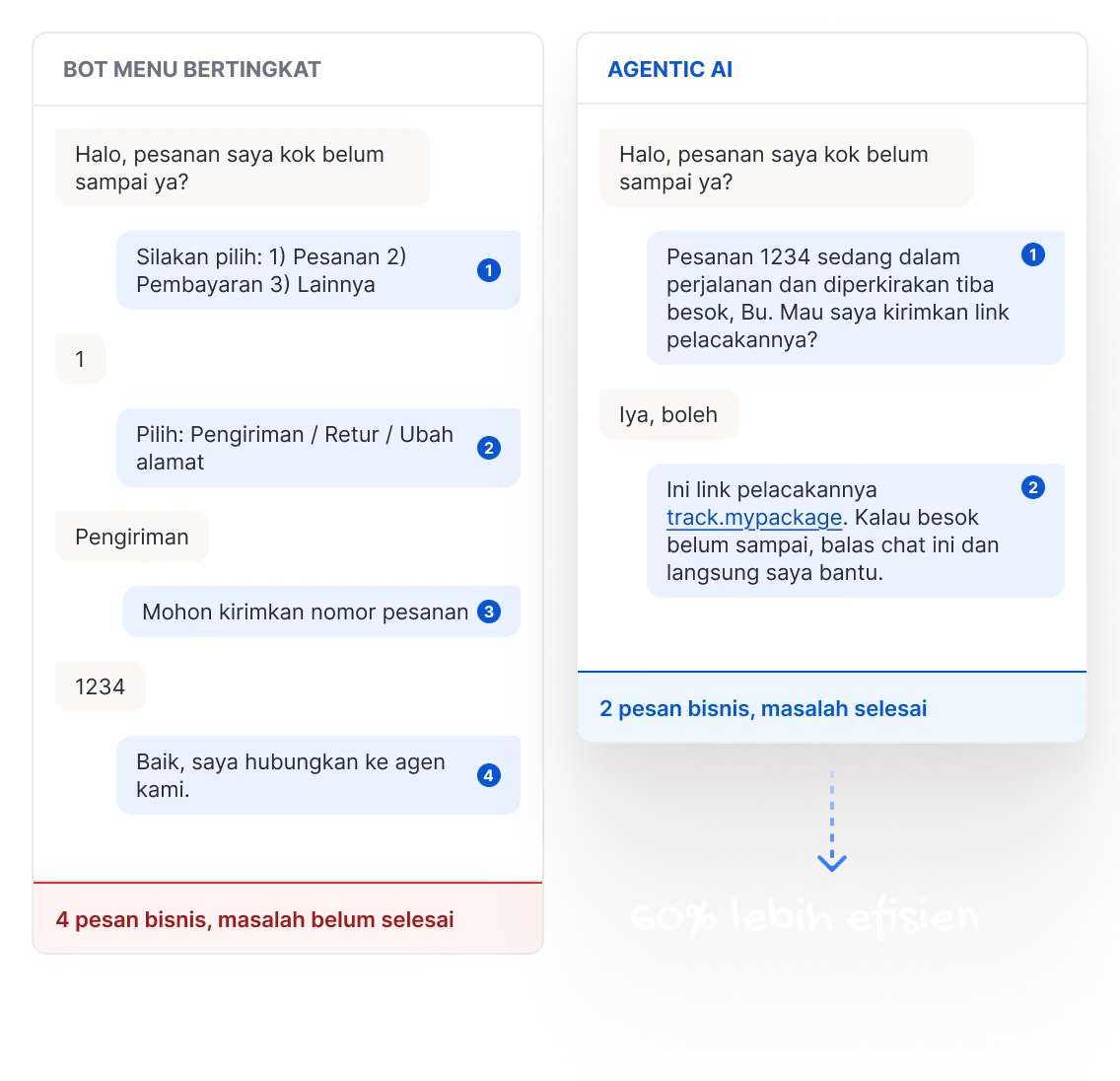
A tiered menu bot spends several messages just routing the customer, before a single question has been answered. Agentic AI reads intent from the first message, answers it directly, and asks only for what it does not already know.
The turn limit in your prompt is a cost control. An instruction like “qualify in three replies or fewer” sets the ceiling on service message cost while the agent is being designed, not after the invoice lands.
Agentic AI can also check CRM records, order status, or a schedule through an API before it asks anything. Returning customers are not made to identify themselves again, and lookups like these send no messages at all, so they add nothing to the bill.
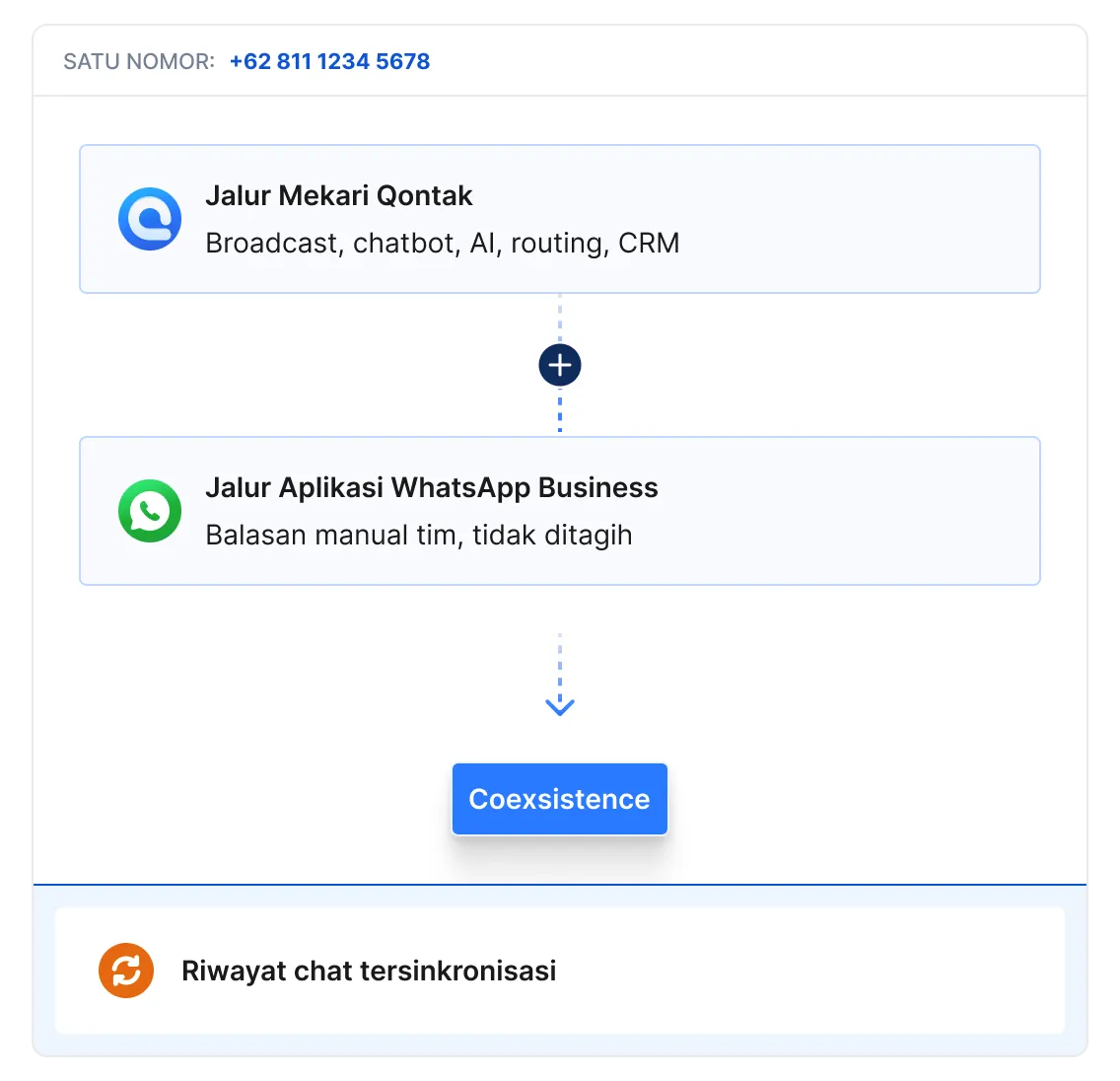
One business number runs on WhatsApp Business API and the WhatsApp Business app at the same time. Broadcasts, chatbot, AI, routing, and customer data all stay in Mekari Qontak. The day-to-day replies your team types in the app are not billed by Meta, and chat history syncs across both. You can switch it on this week, with nothing to build.
Coexistence runs on top of WhatsApp API, it does not replace it. The WhatsApp Business app on its own cannot broadcast at scale, run a chatbot or AI, split chats across a team, or hold customer data. Without WhatsApp API, this saving does not exist.
Every reply you save applies to every conversation that month. Merge separate replies into one message, keep interactive buttons to three, and collect data through a single WhatsApp Flow form. The whole form arrives as one service message.
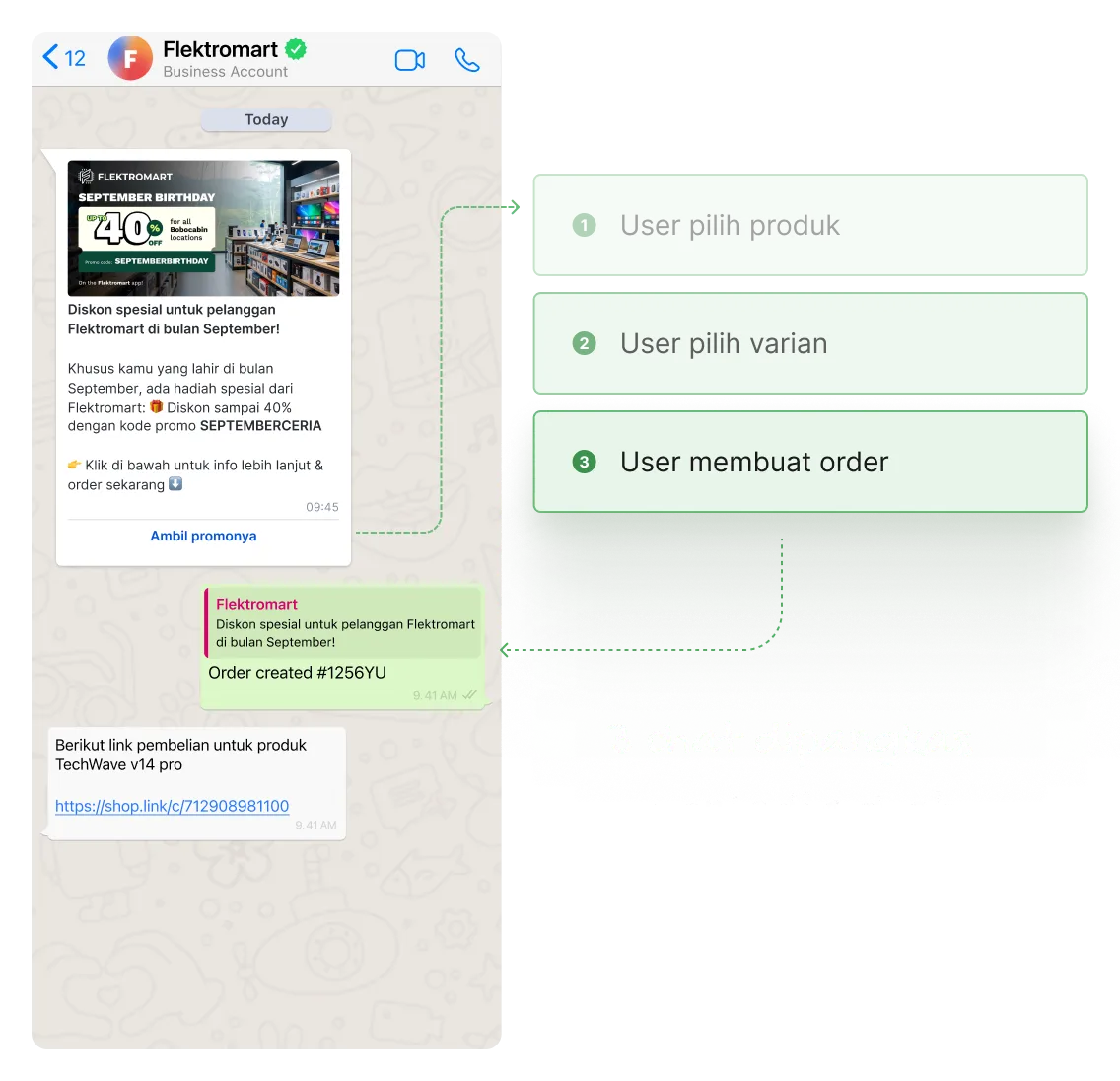
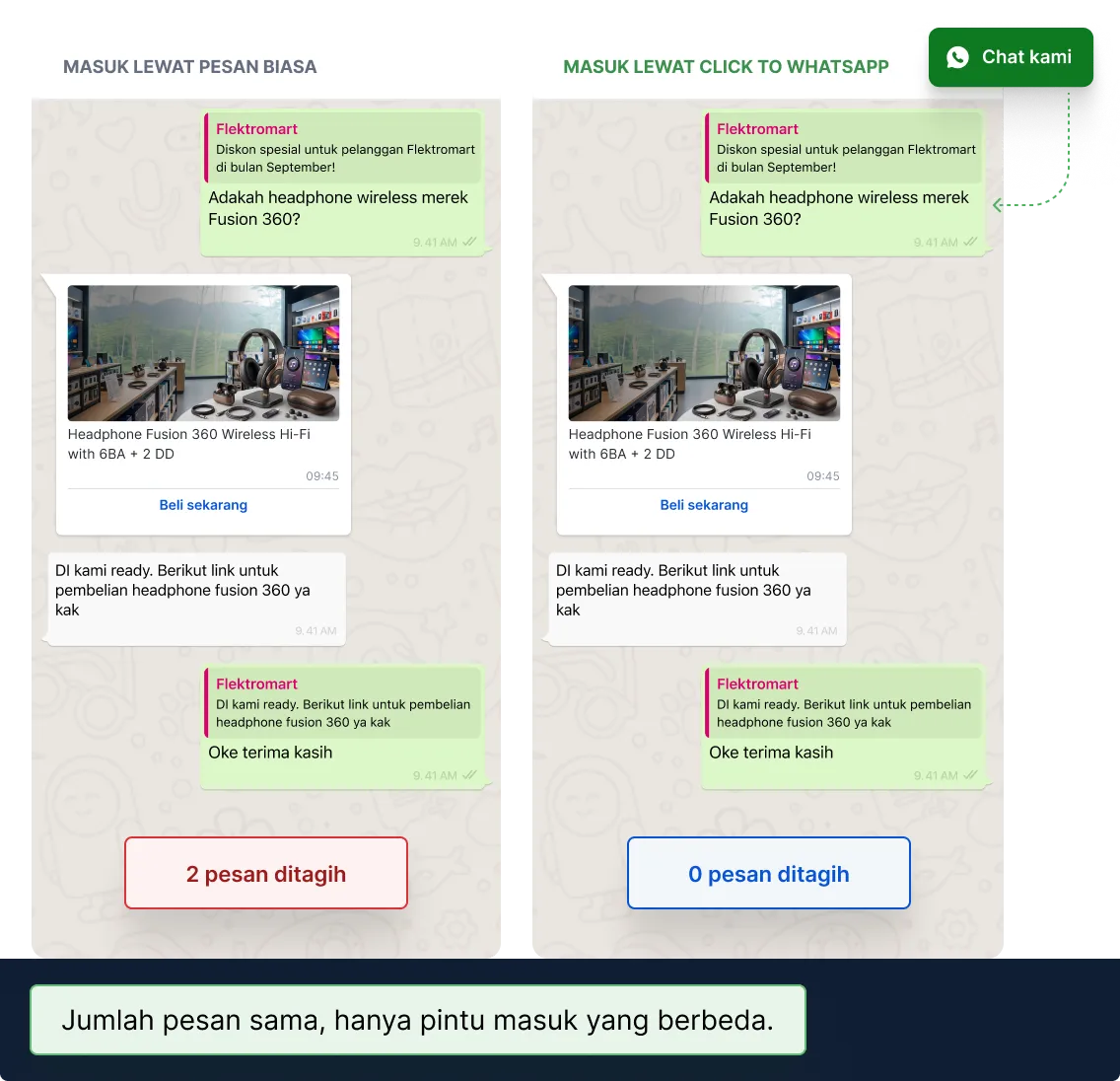
A chat that starts from a Click to WhatsApp ad opens a 72-hour window. While it is open, none of your business messages carry a Meta message cost. The same conversation, with the same qualification method and the same Agentic AI, can run with no message cost at all, purely because of how it started.
Conversion API sends conversation outcomes back to Meta Ads, so you can see which ads genuinely produce results and grow the share of chats that arrive through the free window.
Instagram DM, Telegram, web chat, and email do not carry Meta’s WhatsApp message rates. They all land in the same inbox, so moving some conversations across does not give your team another place to check. Keep WhatsApp for the urgent, high-value moments.
Agents answer all of it from one place, with the same history and the same customer data.
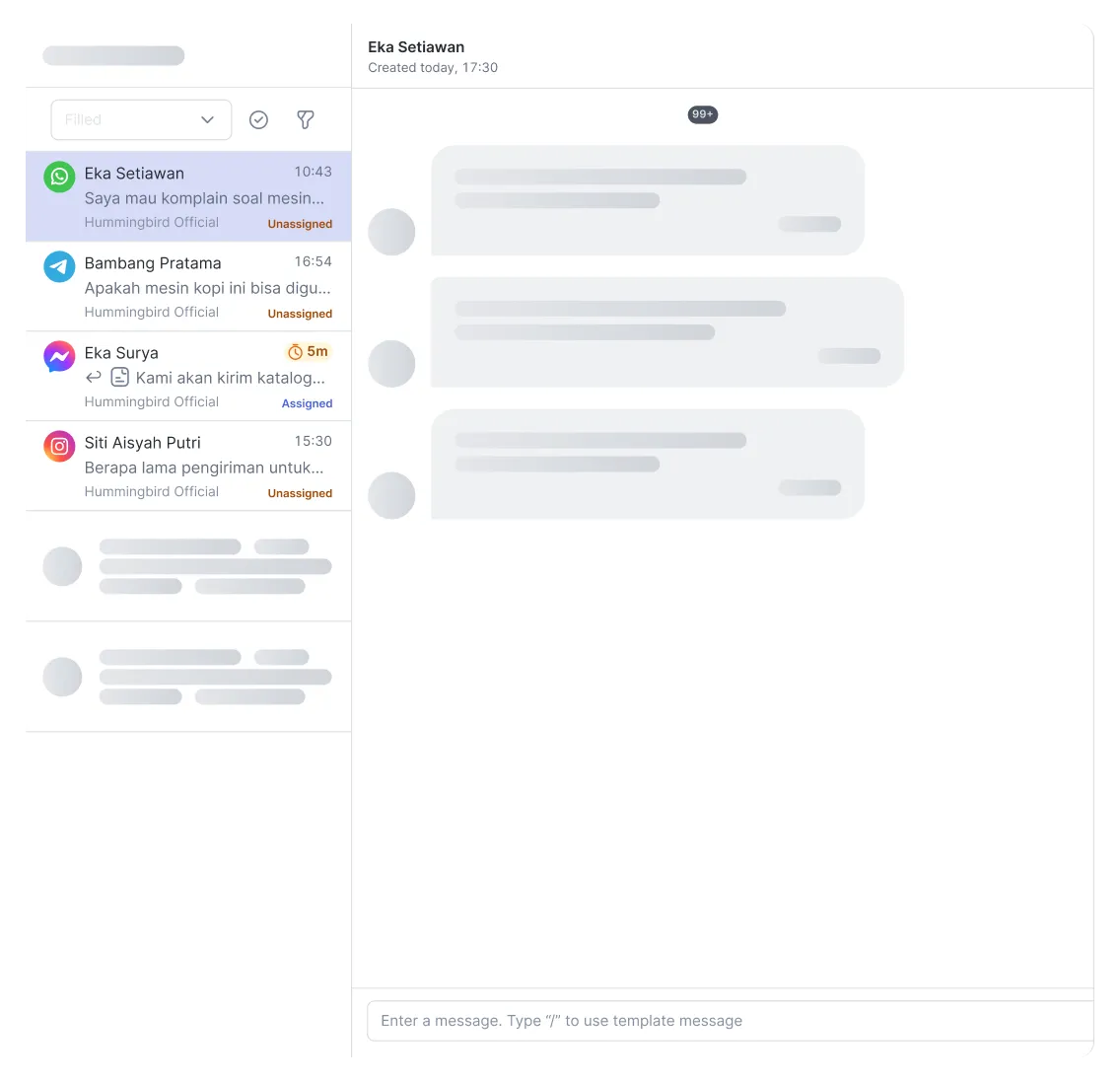
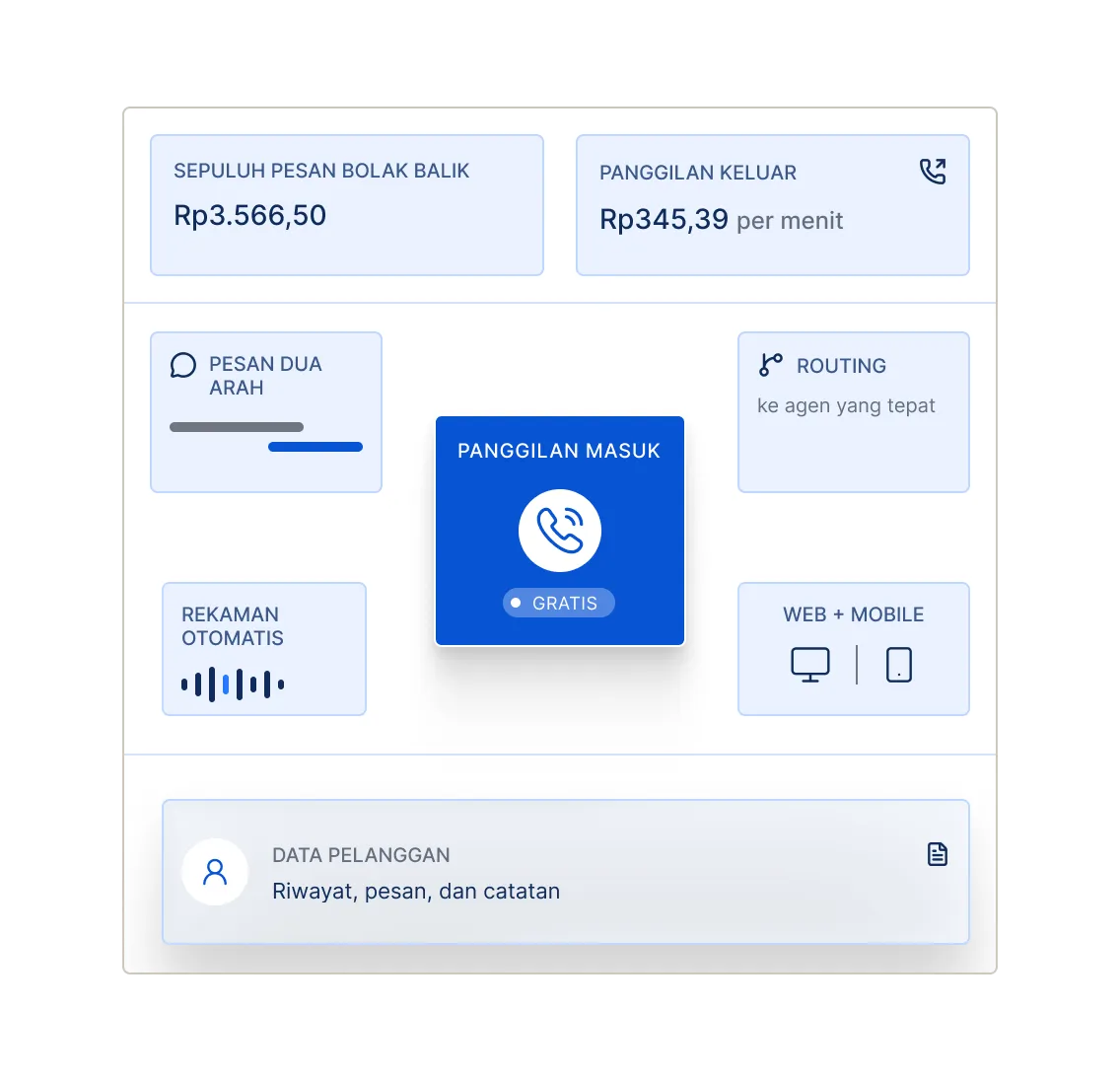
A three-minute call settles what usually takes ten messages back and forth, at roughly 70% lower cost. Customers can call your business number straight from WhatsApp, with no chat first.
Teams stay on chat because chat leaves a written record they can reopen. WhatsApp calls are recorded automatically, stored, and downloadable, so a verbal agreement still has evidence behind it and supervisors can still review service quality.
Meta's official rates currently in effect, in Rupiah per message.
| Market | Service | Utility | Authentication | Auth. International | Marketing | Marketing Lite |
|---|---|---|---|---|---|---|
| IndonesiaMain market | Rp 356.65 | Rp 366.65 | Rp 366.65 | Rp 1,950.13 | Rp 627.33 | Rp 596.33 |
| Argentina | Rp 371.19 | Rp 381.19 | Rp 381.19 | n/a | Rp 922.95 | Rp 891.95 |
| Bangladesh | Rp 52.81 | Rp 62.81 | Rp 62.81 | Rp 1,380.08 | Rp 1,085.97 | Rp 1,054.97 |
| Brazil | Rp 97.05 | Rp 107.05 | Rp 107.05 | n/a | Rp 932.98 | Rp 901.98 |
| Chile | Rp 285.34 | Rp 295.34 | Rp 295.34 | n/a | Rp 1,309.36 | Rp 1,278.36 |
| Colombia | Rp 11.40 | Rp 21.40 | Rp 21.40 | n/a | Rp 219.40 | Rp 188.40 |
| Egypt | Rp 51.38 | Rp 61.38 | Rp 61.38 | Rp 938.22 | Rp 959.92 | Rp 928.92 |
| France | Rp 428.27 | Rp 438.27 | Rp 438.27 | n/a | Rp 1,267.58 | Rp 1,236.58 |
| Germany | Rp 785.17 | Rp 795.17 | Rp 795.17 | n/a | Rp 1,989.66 | Rp 1,958.66 |
| Hong Kong | Rp 371.06 | Rp 381.06 | Rp 381.06 | n/a | Rp 1,085.97 | Rp 1,054.97 |
| Hungary | Rp 498.17 | Rp 508.17 | Rp 508.17 | n/a | Rp 1,267.72 | Rp 1,236.72 |
| India | Rp 19.97 | Rp 29.97 | Rp 29.97 | Rp 443.68 | Rp 209.05 | Rp 178.05 |
| Iraq | Rp 112.67 | Rp 122.67 | Rp 122.67 | Rp 1,835.48 | Rp 527.68 | Rp 496.68 |
| Israel | Rp 75.64 | Rp 85.64 | Rp 85.64 | n/a | Rp 544.79 | Rp 513.79 |
| Italy | Rp 427.89 | Rp 437.89 | Rp 437.89 | n/a | Rp 1,174.39 | Rp 1,143.39 |
| Kazakhstan | Rp 256.77 | Rp 266.77 | Rp 266.77 | Rp 2,292.39 | Rp 902.62 | Rp 871.62 |
| Kuwait | Rp 627.51 | Rp 637.51 | Rp 637.51 | Rp 1,721.38 | Rp 1,171.56 | Rp 1,140.56 |
| Malaysia | Rp 199.82 | Rp 209.82 | Rp 209.82 | Rp 606.63 | Rp 1,268.49 | Rp 1,237.49 |
| Mexico | Rp 121.24 | Rp 131.24 | Rp 131.24 | n/a | Rp 606.94 | Rp 575.94 |
| Morocco | Rp 328.10 | Rp 338.10 | Rp 338.10 | Rp 1,166.89 | Rp 632.08 | Rp 601.08 |
| Nepal | Rp 48.52 | Rp 58.52 | Rp 58.52 | Rp 1,608.43 | Rp 1,085.97 | Rp 1,054.97 |
| Netherlands | Rp 713.78 | Rp 723.78 | Rp 723.78 | n/a | Rp 2,320.80 | Rp 2,289.80 |
| Nigeria | Rp 95.70 | Rp 105.70 | Rp 105.70 | Rp 1,081.67 | Rp 778.05 | Rp 747.05 |
| Oman | Rp 352.26 | Rp 362.26 | Rp 362.26 | Rp 865.69 | Rp 527.68 | Rp 496.68 |
| Pakistan | Rp 214.17 | Rp 224.17 | Rp 224.17 | Rp 1,081.67 | Rp 716.37 | Rp 685.37 |
| Peru | Rp 428.25 | Rp 438.25 | Rp 438.25 | n/a | Rp 1,044.55 | Rp 1,013.55 |
| Poland | Rp 173.65 | Rp 183.65 | Rp 183.65 | n/a | Rp 561.95 | Rp 530.95 |
| Qatar | Rp 171.14 | Rp 181.14 | Rp 181.14 | n/a | Rp 527.68 | Rp 496.68 |
| Romania | Rp 412.77 | Rp 422.77 | Rp 422.77 | n/a | Rp 1,267.72 | Rp 1,236.72 |
| Russia | Rp 570.75 | Rp 580.75 | Rp 580.75 | n/a | Rp 1,185.36 | Rp 1,154.36 |
| Saudi Arabia | Rp 152.54 | Rp 162.54 | Rp 162.54 | Rp 864.24 | Rp 861.08 | Rp 830.08 |
| Singapore | Rp 228.35 | Rp 238.35 | Rp 238.35 | n/a | Rp 1,085.97 | Rp 1,054.97 |
| South Africa | Rp 135.80 | Rp 145.80 | Rp 145.80 | Rp 295.89 | Rp 582.75 | Rp 551.75 |
| Spain | Rp 285.24 | Rp 295.24 | Rp 295.24 | n/a | Rp 1,049.68 | Rp 1,018.68 |
| Sri Lanka | Rp 28.54 | Rp 38.54 | Rp 38.54 | Rp 2,065.12 | Rp 1,085.97 | Rp 1,054.97 |
| Turkey | Rp 12.84 | Rp 22.84 | Rp 22.84 | n/a | Rp 196.56 | Rp 165.56 |
| Ukraine | Rp 424.16 | Rp 434.16 | Rp 434.16 | Rp 1,071.82 | Rp 1,267.72 | Rp 1,236.72 |
| United Arab Emirates | Rp 224.11 | Rp 234.11 | Rp 234.11 | Rp 737.12 | Rp 861.08 | Rp 830.08 |
| United Kingdom | Rp 313.93 | Rp 323.93 | Rp 323.93 | n/a | Rp 946.41 | Rp 915.41 |
| North America | Rp 48.50 | Rp 58.50 | Rp 58.50 | n/a | Rp 397.60 | Rp 366.60 |
| Rest of Africa | Rp 57.06 | Rp 67.06 | Rp 67.06 | n/a | Rp 362.24 | Rp 331.24 |
| Rest of Asia Pacific | Rp 161.27 | Rp 171.27 | Rp 171.27 | n/a | Rp 1,242.72 | Rp 1,211.72 |
| Rest of Central & Eastern Europe | Rp 301.75 | Rp 311.75 | Rp 311.75 | n/a | Rp 1,267.72 | Rp 1,236.72 |
| Rest of Latin America | Rp 161.18 | Rp 171.18 | Rp 171.18 | n/a | Rp 1,096.54 | Rp 1,065.54 |
| Rest of Middle East | Rp 129.78 | Rp 139.78 | Rp 139.78 | n/a | Rp 600.68 | Rp 569.68 |
| Rest of Western Europe | Rp 243.72 | Rp 253.72 | Rp 253.72 | n/a | Rp 885.68 | Rp 854.68 |
| Other | Rp 109.84 | Rp 119.84 | Rp 119.84 | n/a | Rp 902.62 | Rp 871.62 |
| Country not found. Try another keyword or use the "Other" row. | ||||||
Service message rates are passed through from Meta with no Mekari Qontak management fee. Template categories include the management fee.
Rates follow the country code of the customer's number. Message costs are drawn from WA Balance, separately from your subscription.

What Meta charges for a service message is what you pay. The rate is the same on every package, and you can check it yourself in the Mekari Qontak Help Center.

Read the per-market rate card without contacting sales. Build your budget before you ever speak to the Mekari Qontak team.

WhatsApp Flow, chatbot, routing, Conversion API, and CRM integration run on one platform, so the number of messages it takes to finish a conversation goes down.
Count the messages you send in each category, then multiply by that category’s rate. For service messages, subtract the 1,000 free messages per number first. Example: 5,000 service messages minus 1,000 free leaves 4,000 billed, or Rp 1,426,600 per month, plus utility, authentication, and marketing templates if you send them.
Service is a business reply to a customer who is already chatting, with no template. Utility is a template for order confirmations or delivery updates. Authentication is a template for OTPs and account verification. Marketing is a template for promotions and product news, and it carries the highest rate.
Incoming messages from customers are always free. Replies your business sends inside the 24-hour service window are billed as service messages once the 1,000 free allowance for that number runs out. Replies inside the 72-hour Click to WhatsApp window are not billed, and neither are replies handled through Coexistence.
1,000 delivered service messages per WhatsApp business number per month. The allowance resets monthly and anything unused does not roll over. It applies to service messages only, not to templates.
Yes. Utility templates are billed at Rp 366.65 per message, inside or outside the 24-hour service window. The 1,000 free allowance does not apply to templates. Businesses that send a lot of transaction notifications should budget this separately from service messages.
Yes. Coexistence runs on top of WhatsApp Business API, so this saving only exists if you are on WhatsApp API in the first place. The WhatsApp Business app on its own cannot broadcast at scale, run a chatbot or AI, split chats across a team, hold customer data, or report on any of it. Without WhatsApp API, this route is not available to you.
Service message rates are passed through from Meta with no Mekari Qontak management fee. Template rates include the management fee. Message costs are drawn from WA Balance, separately from the subscription on the pricing page.
The Customer Service Window is the 24-hour window that opens every time a customer messages you, during which you can reply without a template. The Free Entry Point is the 72-hour window that opens when a customer arrives through a Click to WhatsApp ad or a call-to-action button on Facebook, and while it is open every business message is free.
Cut the number of replies per conversation with WhatsApp Flow forms and interactive buttons, bring conversations in through Click to WhatsApp ads so they land in the free 72-hour window, and move a share of conversations to Coexistence and other channels such as Instagram, Telegram, or email campaigns.
No. It is an estimate for budgeting, not a bill. The real figure depends on customer behaviour, delivery rate, and how conversations arrive. The Mekari Qontak team can build a calculation from your actual conversation data.
No. The estimate on this page covers Meta’s message costs only. Tax and your Mekari Qontak subscription are billed separately.
Not any more. Until 30 June 2025 Meta billed per 24-hour conversation, so any number of messages inside that window counted as one. Since 1 July 2025 billing moved to per delivered message.
The consequence is that any older estimate built on the conversation model will come in well below the actual invoice. Some calculators still quote rates as a 24-hour figure. The calculator on this page uses per-message billing, including the 1 October 2026 change for service messages.
 Whatsapp sales


 See how to cut these costs