





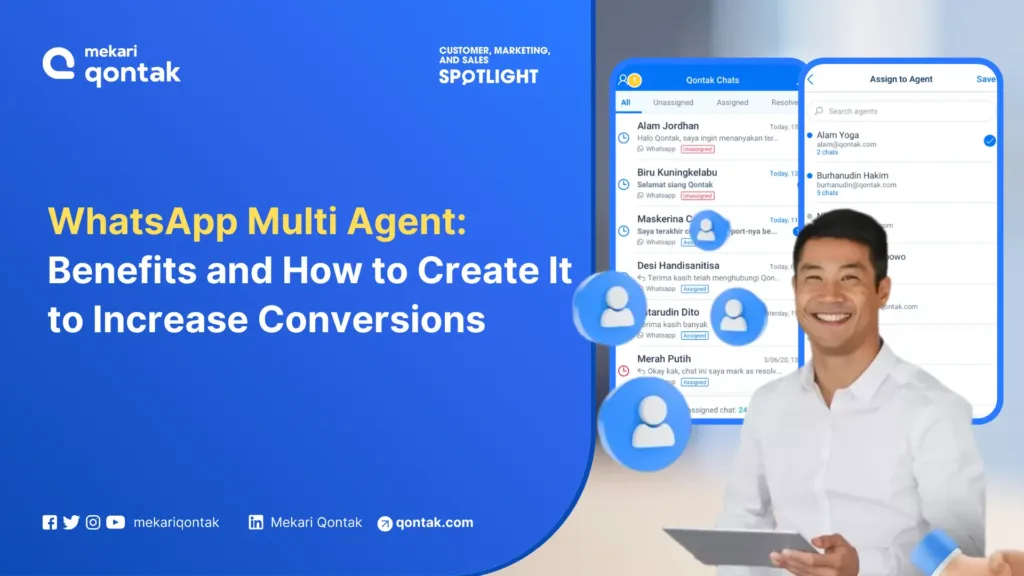
- WhatsApp multi-agent is a feature that allows one WhatsApp Business account to be managed by many agents or admins.
- This feature increases team efficiency and customer satisfaction by responding to messages more quickly.
- The use of the multi-agent feature can only be done through WhatsApp API, not regular WhatsApp Business.
Using a WhatsApp account for a single admin is no longer effective, especially for businesses with high sales and customer service traffic. WhatsApp multi agent becomes the right solution. This is because one WhatsApp API account can be accessed by many admins at once.
The use of WhatsApp multiple Agent can speed up businesses in responding to customers. This can drive customer satisfaction because they don’t need to wait long to get an answer.
In this article, Mekari Qontak Blog will explain WhatsApp Multi Agent in full detail, from how to create it to setting up agents. Read this article to the end!

What is WhatsApp Multi Agent?
WhatsApp multi agent is a feature that allows one WhatsApp Business API account to be accessed by many admins at the same time.
This system consolidates customer service into one dashboard so that the customer service and sales teams can reply to customer messages faster.
This WhatsApp multiple agent feature is widely sought after by businesses to respond to customers faster. This allows businesses to focus on serving customers from just one number.
That way, there’s no more overlapping customer requests or customers feeling annoyed because of slow responses.
Why Businesses with High Message Volume Need Multi Agent
When a business only relies on one or two admins, several critical problems arise, such as messages piling up during busy hours, customers waiting too long, and no system to ensure every chat is handled to completion.
On the other hand, companies that respond within the first 15 minutes experience a conversion increase of up to 80% (Gallabox).
WhatsApp multi agent solves this problem by distributing the workload evenly across the entire team so that no customer is neglected.
Differences Between Multi Agent on WhatsApp Business and WhatsApp API
Regular WhatsApp Business is a free app that can be downloaded from the Google Play Store or App Store. This app is suitable for SMEs with low message volume, but has significant limitations for growing businesses.
WhatsApp Business API, on the other hand, is designed for medium to enterprise businesses that need scalability. Here is the comparison.
Use Left/Right arrow keys to scroll horizontally.
| Differentiation Aspect | WhatsApp Business | WhatsApp Business API |
|---|---|---|
| Number of Agents | Max. 5 linked devices | Unlimited |
| Business Profile | Yes | Yes |
| Verified Badge (Blue Check) | No | Yes |
| Mass Messaging (Broadcast) | Max. 256 contacts | Unlimited contacts |
| Chat Assignment & Routing | Not available | Yes (automatic/manual) |
| CRM Integration | Not available | Yes |
| Reports & Analytics | Basic statistics | Full dashboard |
| Chatbot & Automation | Simple auto-reply | AI Chatbot + workflow |
Benefits of WhatsApp Multi Agent to Improve Business Service Performance
Using WhatsApp multi agent will help you serve customers faster. The more agents there are, the more customer requests can be resolved without long waiting times.
Other benefits of using WhatsApp multi agent are as follows:
1. Speeding Up Customer Service
WhatsApp multiple agent is very suitable for businesses with many customers. They are allowed to add unlimited CS agents, so they can respond to customers faster.
This capability also means there are no more customer queues waiting. This is because incoming messages will automatically be centralized in one platform, meaning there’s no overlapping of the same requests.
2. Easier Monitoring of Customer Requests
WhatsApp multi device uses only one business number. This means all incoming messages will be gathered on the platform, making it easier for businesses to monitor those messages.
WhatsApp Business API can be integrated with other CS channels such as call centers, email, social media, and others. All incoming customer requests will be automatically stored in one dashboard.
3. Database Automation
WhatsApp API has an automation feature that stores and manages customer data. This data is automatically stored in the database system. So businesses no longer need to back up data or sync conversation history.
4. Automatic Task Distribution
WhatsApp multi agent has a rotator feature that distributes CS tasks to admins. Allocate agents fairly according to their capabilities, either manually or automatically through round robin. This way, no agent gets overwhelmed.
5. Advanced Agent Routing
Businesses can customize agent and conversation routing to meet their business management needs, either automatically or customized to their needs. This way, customers can be directed straight to the right department to be handled.
6. Analytics Reporting
WhatsApp multiple agent records data such as conversation history, agent response times, and more automatically and in real time. This data will be reported in an interactive dashboard.
This makes it easier for businesses to calculate customer service KPIs, the performance of each agent, and to develop strategies to improve conversations further.
7. Integration with Other Software
WhatsApp Business multiple agent can be integrated with other popular chat apps, such as Telegram, Line, and Facebook Messenger. This helps businesses create seamless interactions with customers.
All conversations from both can be viewed on an interconnected, interactive dashboard. This makes it easier for you to monitor all activity on your WhatsApp business account.
How to Create WhatsApp Multi Agent for Your Business
The main way to create WhatsApp multi agent is by using WhatsApp Business API. After that, you will get WhatsApp multiple agent.
Here are the detailed steps you need to take to create WhatsApp Multi Agent:
1. Create a Facebook Business Manager Account
You may be familiar with FB Ads or IG Ads. That means you also know about Facebook Business Manager.
Businesses must have a Facebook Business Manager account to be able to use FB Ads, IG Ads, as well as WA API. Then your Facebook Business Manager account must be submitted for verification to Facebook.
This process is quite difficult and time-consuming. To make it easier, you can ask for help from an official WhatsApp API partner such as Mekari Qontak.
2. Register with a Business Solution Provider (BSP)
Partnering with a BSP as a WhatsApp Official Business Partner is mandatory for those who want to use WhatsApp API. One of the best BSPs in Indonesia is Mekari Qontak.
Mekari Qontak’s WhatsApp Business API will help you easily obtain the WhatsApp green check. In addition, you can also send mass messages to many contacts without saving their numbers through Mekari Qontak’s WhatsApp blast.
Next, this official partner will help submit the application for a licensed WA API that can be integrated with any technology.
3. Choose a WhatsApp API Number
After choosing a BSP, you simply provide the WhatsApp number you want to use for WhatsApp API. This number can be a new number or an existing WhatsApp number.
Next, you need to complete your business profile. Fill in this profile with important information such as operating hours, address, catalog, website, and more. This profile information can serve as branding.
4. WhatsApp Multi Agent Is Ready to Use
After completing all the steps, this means you already have a WhatsApp Business API account. You can add many agents to manage that account and start serving customers through the WhatsApp multiple agent feature.
How to Set Up WhatsApp Multi Agent with Mekari Qontak
After having a WhatsApp Business API, you can add more than one agent according to business needs to operate it. That way, you can communicate with consumers more optimally.
Here’s how to use WhatsApp multiple agent simultaneously:
1. Log In Through Mekari Qontak’s Dashboard
You will be given credentials to log in to the Mekari Qontak dashboard in the form of a username and password. There are two types of credentials, namely for agents and supervisors. All credentials can be used simultaneously on various devices.
The menu display after logging in differs between agent and supervisor. Agents are only allowed to reply to incoming messages, while supervisors can monitor incoming messages and make several settings.
2. Set Up Chat Assignment
Set chat assignment (message recipients) which can be found in the supervisor login. Agents can change their online status from the top of the panel. This status will be used to run the Auto Agent Allocation or Custom Agent Allocation function.
3. Set Message Templates, Auto Replies, and Agent Working Hours
Supervisors can create a more effective and efficient work system by setting message templates and auto replies. That way, agents don’t need to rewrite the same answer.
4. Log In Through the Mekari Qontak Chat Mobile App
When you’re out of the office, you can still use your smartphone. To do so, download the Mekari Qontak Chat app from the App Store or Play Store. After that, log in using the credentials provided earlier.
5. Setting Up Message Retrieval and Sending
All incoming messages will appear in the inbox menu on the first row of the menu page. All users will get a notification when they activate the Allow Notification feature.
A manager can choose to reply to messages, interrupt messages, or select a chat room they want to read or reply to. After selecting a chat room, they can send files or respond to consumer questions, via photos, videos, or files in other formats.
Managers can also add or remove agents within the same chat room. Unlike managers, agents can only send messages to fellow agents.
Once a conversation is finished, the agent can close that conversation session by pressing the Resolve button. Messages that have ended cannot be edited again or forwarded even if the session has not yet ended (expired).
That message will be immediately saved in the Resolved menu.
Key Features of WhatsApp Multi Agent That Support Team Efficiency
WhatsApp multi agent through a platform like Mekari Qontak is equipped with various features designed to maximize team productivity and service quality. Here are the key features.
1. Centralized Shared Inbox for the Entire Team
All incoming messages from customers are gathered in one inbox that can be accessed by all agents. There are no more messages slipping through on personal devices or chats being handled twice.
The shared inbox also allows supervisors to monitor message volume, identify chats that haven’t been responded to, and intervene if an agent needs help.
2. Auto-Assignment and Automatic Chat Distribution
Incoming messages are automatically distributed to agents based on configured rules, such as round robin (evenly rotated), based on the lowest workload, or based on question category.
This feature eliminates the manual process of dividing up chats and ensures every agent gets a fair share of the workload.
3. Customizable Message Templates and Auto-Reply
Supervisors can create message templates for various scenarios, from initial greetings, order confirmations, pricing information, to closing messages. Agents simply select the appropriate template without having to retype it.
Auto-reply can also be configured to send an automatic welcome message when a customer first reaches out, or an operating hours information message outside of business hours.
4. Agent Monitoring and Supervisor Dashboard
Supervisors have access to a dashboard that displays each agent’s performance in real time, from the number of chats handled, average response time, resolve rate, to online/offline status.
This data helps management make data-driven decisions to improve service quality, such as adding agents during busy hours or providing specific training.
5. CRM and Omnichannel Integration for a Unified Experience
WhatsApp multi agent can generally be integrated with a CRM so that customer profiles, transaction history, and internal notes can be accessed directly from the chat panel.
In addition, omnichannel integration allows businesses to connect WhatsApp with other communication channels such as email, Telegram, Facebook Messenger, and Instagram DM in the same dashboard.
6. Mobile Access for Agents Working in the Field
Agents don’t always have to be in front of a computer. Through the mobile app, agents can respond to customer messages from anywhere.
This feature is very useful for field sales teams or agents who work remotely, ensuring customer service continues to run even when the team is not in the office.
Examples of WhatsApp Multi Agent Implementation in Business
WhatsApp multi agent can be implemented in various business processes with specific scenarios. Here are some examples of its implementation:
1. Lead Qualification and Prospect Distribution to the Sales Team
When a prospective customer sends their first message, a chatbot can perform an initial qualification by asking about needs, business scale, and budget.
Based on those answers, the system automatically directs the prospect to the most suitable salesperson.
For example, enterprise prospects are directed to a senior account executive, while SME prospects are handled by the inside sales team. This process ensures every lead is handled by the right person from the very first interaction.
2. Appointment Booking for Clinics and Service Businesses
For service-based businesses such as health clinics, salons, or consulting services, WhatsApp multi agent makes the scheduling process easier.
Customers can choose an available time slot, receive instant confirmation, and get automatic reminders before their appointment time.
The agent handling bookings can focus on scheduling, while other agents handle general inquiries. This division prevents one agent from being overwhelmed by handling all types of requests at once.
3. Order Tracking and Delivery Notifications
E-commerce customers often ask about their order or delivery status. Through multi agent, these types of questions can be directed straight to the logistics team that has access to the tracking system.
The chatbot can also be configured to send automatic notifications when an order is confirmed, shipped, and arrives, in order to reduce the volume of repetitive questions coming in to agents.
4. Ticketing and Customer Complaint Escalation
Not all customer complaints can be resolved by frontline agents. With a multi agent system, complex complaints can be escalated to a supervisor or specialist team without the customer having to contact them again.
Every ticket is recorded with a clear status: open, in progress, or resolved. Supervisors can monitor tickets that have exceeded the resolution time limit (SLA) and intervene.
5. Coordinating Field Sales Teams
For businesses with sales teams operating in the field, WhatsApp multi agent functions as a coordination hub. Field sales staff can send visit updates, request approval for special pricing, or request technical assistance directly from the chat panel.
Supervisors at the office can monitor the activity of the entire sales team in real time and provide direction without having to call each one individually.
6. Onboarding New Customers
After a customer makes a purchase, the onboarding process can be carried out through WhatsApp multi agent. The onboarding agent sends usage guides, tutorial videos, and personally answers initial questions.
With centralized conversation history, the team can ensure every new customer goes through the entire onboarding process smoothly without any step being missed.
Tips for Managing WhatsApp Multi Agent to Keep Your Team Effective and Consistent
Here are tips to maximize its use.
1. Establish Clear Ownership for Every Chat
Every incoming message must have a responsible agent from the start. Once a chat is assigned to an agent, that agent is fully responsible until the conversation is finished (resolved).
Clear ownership prevents a situation where a customer is “passed around” from one agent to another without resolution. This also builds accountability within the team.
2. Use Round Robin Distribution for Even Workload
Round robin is the fairest distribution method; incoming messages are distributed in turn to each agent who is currently online. No agent gets too many chats while others sit idle.
For teams with specializations, combine round robin with category-based routing. For example, technical questions are only round-robined to technical agents, while general questions go to generalist agents.
3. Standardize Responses with Templates and SOPs
Even though agents are different people, the brand voice must remain consistent. Create message templates for common scenarios, such as initial greetings, pricing information, order confirmations, and complaint handling.
A written SOP (Standard Operating Procedure) helps new agents adapt faster and reduces inconsistency in service quality.
4. Monitor KPIs and Conduct Regular Evaluations
Metrics that need to be monitored regularly: average first response time, conversation resolve rate, customer satisfaction (CSAT), and the number of chats handled per agent per day.
Conduct weekly or monthly evaluations to identify bottlenecks, agents who need training, or busy hours that need additional capacity.
5. Make Use of the Resolve Feature and Internal Notes
Once a conversation is finished, the agent must press the Resolve button to close the session. Messages that have been resolved are stored in the archive and cannot be edited again.
Also use the internal notes feature to add context to each conversation. These notes are only visible to the internal team and are very helpful when a customer contacts again at a later date.
Optimize Customer Service with Mekari Qontak WhatsApp Multi Agent
The WhatsApp multiple agent feature allows you to manage one WA account with many agents. This benefits you because it can speed up customer service.
Meanwhile, to get WhatsApp multi agent, you must use WhatsApp Business API. One of the requirements for having WhatsApp Business API is that you must partner with a Business Solution Provider (BSP) such as Mekari Qontak.
Mekari Qontak presents an AI-based WhatsApp multi device solution integrated with WhatsApp Business API, CRM, omnichannel inbox, and workflow automation. Your business can manage customer conversations more intelligently, measurably, and efficiently, without complicated technical processes.
Get a free demo now or consult your strategic needs with our team of experts to build a faster and more profitable customer service system!