





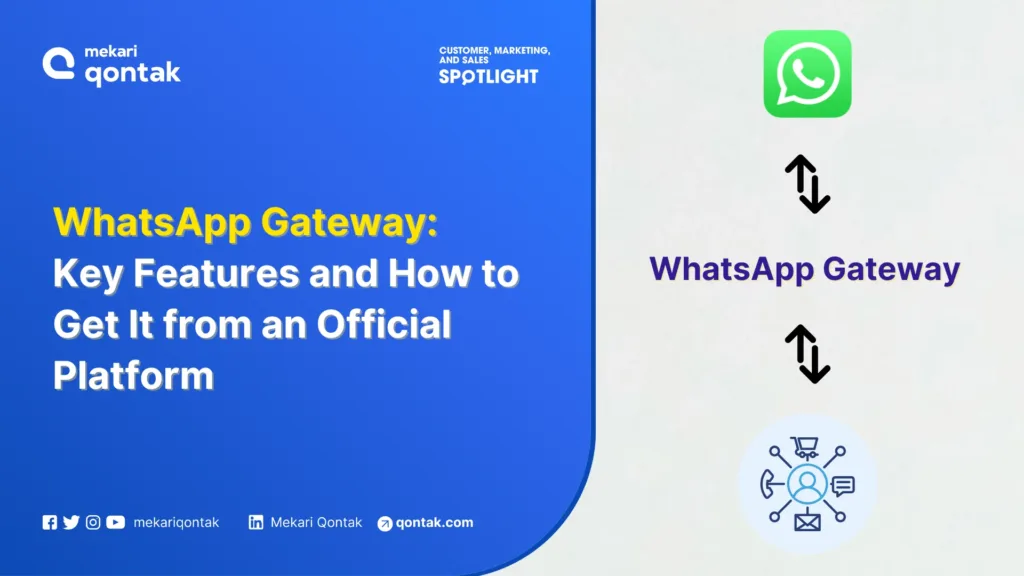
- WhatsApp Gateway is an API-based technology that connects systems such as websites, CRMs, or POS systems to send and receive WhatsApp messages automatically.
- WhatsApp Gateway enables business communication automation by sending notifications, OTPs, broadcasts, and chatbot replies automatically through API integration.
- Not all WhatsApp Gateways are official and safe, as many services on the market are modified versions that have not been verified by WhatsApp.
- Using unofficial WA Gateway systems can increase the risk of hacking, malware threats, and the risk of having your WhatsApp account blocked.
- Using an official partner such as a BSP (Business Solution Provider) ensures security, technical support, and a complete set of features such as chatbots, official broadcasts, and CRM integration.
Many businesses have started using WhatsApp Gateway to automate the sending of messages, notifications, and broadcasts directly from their systems. This solution is practical because it can run WhatsApp automatically without any manual process.
However, not all gateway services available on the market are safe to use. Most WhatsApp Gateway products are unofficial modified versions. The risks involved are not trivial, ranging from data breaches to account blocking by WhatsApp.
For this reason, it is important for you to understand the difference between official and unofficial WhatsApp Gateways before using them. In this article, Mekari Qontak Blog will thoroughly cover everything about WhatsApp Gateway, from its advantages to the risks of WA Gateway.
What is WhatsApp Gateway?
WhatsApp Gateway is an API-based integration technology that acts as an intermediary between various systems, such as websites, Customer Relationship Management, and POS systems to send and receive WhatsApp messages automatically.
In general, WhatsApp Gateway is used for a variety of business needs, such as sending transaction notifications, OTP codes, payment reminders, automated chatbots, and mass broadcasts to many customers at once.
However, it is worth noting that WA Gateway is not an official product released by WhatsApp itself; rather, it is a product created by third-party application developers.
Unlike the official WhatsApp application, if you want to create a WA Gateway, you need to download the application from the developer’s website. This is because the WA Gateway is not yet available on the Google Play Store.
Therefore, it is advisable to choose to use the official WhatsApp API Gateway application to avoid any unwanted issues.
Advantages of WhatsApp Gateway for Business
Here are some things that users can do by using WA Gateway.
- By using WhatsApp message Gateway, you can receive notifications and perform any kind of verification directly through the WhatsApp application, rather than via SMS or email.
- As a user, you can obtain various pieces of information you need through WhatsApp.
- WA Gateway has a WhatsApp bot feature or an auto-response feature that can operate 24 hours a day.
- Just like an official WhatsApp API Gateway application, this WA Gateway application also offers a WhatsApp Blast or WhatsApp Bulk feature.
How WhatsApp Gateway Works
1. System Integration and API Connection
The working process of WhatsApp Gateway begins with integration into business systems, from websites and CRMs to internal applications via REST API.
Once connected, the business WhatsApp number will be linked to that system, typically using the multi-device feature.
In this way, WhatsApp is no longer operated manually through WhatsApp Web, but instead becomes part of your business system ecosystem.
2. Outbound Message Process
When the system needs to send a message, such as a payment notification or order confirmation, the application will send the data to the WhatsApp Gateway API.
The Gateway then processes the request and forwards the message directly to the customer’s WhatsApp number to deliver the outbound message. This process typically takes place within seconds and can run automatically based on specific triggers.
3. Inbound Message Process
When a customer replies to a message, the WhatsApp system sends the reply data to the gateway via webhook.
The Gateway then forwards the message to the business system or chatbot for further processing. Through this mechanism, businesses can respond to customers automatically or forward the message to the customer service team.
4. Automation and Conversation Management
WhatsApp Gateway functions as a central hub for managing communications. This system enables businesses to handle many conversations simultaneously without conflicts, unlike manually using multiple WhatsApp Web sessions.
This gateway automation enables businesses to set up reply flows, manage large volumes of message traffic, and ensure that communications remain structured and efficient.
Key Features of WhatsApp Gateway
Here are some of the key WhatsApp Gateway features that are important for businesses to have.
1. Message Automation and API Integration
WhatsApp Gateway allows you to send messages automatically directly from internal business systems such as PHP, Laravel, CRM, or other web-based applications.
With API support, message sending can be triggered by specific activities, for example, after a customer completes a transaction, registers an account, or makes a payment.
This feature helps businesses save time while ensuring that communications run in real time without manual intervention.
2. 24/7 Chatbot Auto Reply
The chatbot auto-reply feature allows you to provide automatic replies to customers 24 hours a day. In addition to text, the system can also send images, audio, and documents as needed.
With a chatbot, businesses remain responsive even outside of operational hours, thereby improving the customer experience and speeding up service response times.
3. Broadcast or WhatsApp Blast
WhatsApp Gateway supports sending mass broadcasts WhatsApp message to many contacts at once. This feature is typically used for promotions, announcements, notifications, or marketing campaigns.
With the blast system, you do not need to send messages one by one, making the communication process more efficient and measurable.
4. Multi-Device and Multi-Number Support
Through a single dashboard, you can manage multiple WhatsApp numbers at once. WhatsApp multi-device feature makes it easier for teams to handle customer communications in a centralized way without having to log in to different devices.
This is particularly helpful for businesses with high chat volumes or those that have multiple service divisions.
5. Customer Contact Management
WhatsApp Gateway also comes with a contact management feature that allows you to import, group, and organize your customer database more neatly.
Through proper contact segmentation, message delivery becomes more targeted and relevant according to the needs of each individual customer.
Risks of Using an Unofficial WhatsApp Gateway
WA Gateway does offer several advantages that you can make use of. However, keep in mind that WA Gateway is a modified version of WhatsApp and is not an official application created by WhatsApp.
This means that cheap, unofficial WA Gateways carry a number of risks that can haunt their users. Some of the risks of using WA Gateway include:
1. No Guarantee of End-to-End Encryption
The official WhatsApp is equipped with an end-to-end encryption system that protects the contents of conversations from being accessed by third parties.
This is in contrast to unofficial WhatsApp Gateways, which do not offer this security guarantee. This makes your communication data more vulnerable to data breaches.
2. Vulnerable to Hacking and Data Misuse
Using an unofficial WA Gateway risks opening security gaps. For example, sensitive data such as banking credentials, passwords, and customer information could potentially be misused by irresponsible parties.
3. Potential for Malware and Spyware
Unofficial WhatsApp Gateway applications may potentially contain malware or spyware. These threats can damage systems, steal sensitive data, and even disrupt the performance of the devices you are using.
4. Risk of Account Blocking by WhatsApp
Although the process of creating a WA Gateway account is relatively easy, WhatsApp can block your account at any time. This risk increases if the use of such a system violates WhatsApp’s official policies or terms of service.
Examples of WhatsApp Gateway Usage
1. Automated Notifications for Customers
WhatsApp Gateway is often used to send automated messages such as OTP codes, transaction confirmations, order status updates, and payment bills.
The messages will be sent instantly when the system detects certain activity from your business application. With this mechanism, customers can receive important information quickly without any manual process from the internal team.
2. Chatbot-Based Customer Service Support
In addition to notifications, WhatsApp Gateway also supports chatbot integration to help with customer support operations. This system enables businesses to respond to customer inquiries automatically 24 hours a day.
If a conversation requires further handling, the message can be forwarded to the appropriate agent.
3. Mass Message Sending for Promotions
WhatsApp Gateway can also be used to distribute large volumes of messages, such as promotions, announcements, or other important information, to the entire customer database.
With this feature, businesses can run communication campaigns more efficiently compared to sending messages individually.
How to Create a Safe and Official WhatsApp Gateway
An official WA Gateway can be obtained through the official WhatsApp Business API, such as Mekari Qontak. In addition to being easy to obtain, a WhatsApp API Gateway also has an affordable price for businesses.
Here is how to create a WA API Gateway in an easy and safe way:
1. Create a Facebook Business Manager Account
First, you need to create and fill in your business information or data in a Facebook Business Manager account. The steps to create a Facebook Business Manager account are as follows:
- Open Facebook Business Manager, then log in using your Facebook account.
- Create a new account.
- Enter your business name, then select the “Continue” option.
- Enter your name and business email, then select the “Finish” option.
- Set up your Facebook Business Manager account by adding a Page, Add Account, and People.
2. Completing Business Verification
You can complete business verification on Facebook Business Manager by following these steps:
- Search for the “Business Settings” option.
- Click “Security Center.”
- Select “Verification.”
The business verification process may take approximately three business days.
3. Submitting a Display Name
Make sure you choose a business name that complies with WhatsApp’s Commerce and Business policies, as the business name you have chosen cannot be changed at a later date.
Meanwhile, you will need approximately one business day to process the display name submission for your WhatsApp account. However, this may take longer depending on WhatsApp.
Once the submission is approved, the display name will appear automatically even if the contacts who reach out to you have not yet saved your WhatsApp number, as this is made possible by the WhatsApp Masking feature.
4. Setting Up a WhatsApp Business API Account
The next process is the approval of the WhatsApp Business API account, which takes one business day. The setup and live process also requires one business day.
5. WA API Gateway Indonesia Is Ready to Use
The final process is the submission of the WhatsApp API Gateway (WA API) account. This stage takes approximately 3 business days.
If the submission of your WhatsApp Business API account (Official Business Account) is approved, the registration process is complete and your WhatsApp account will have a verified status, meaning it will display a green checkmark next to the display name as shown in the image above.
Get the Official WhatsApp Gateway Features from Mekari Qontak Now!
In summary, WhatsApp Gateway makes it easy for businesses to send automated messages, notifications, OTPs, and mass broadcasts.
Many service providers offer a wide range of features at competitive prices. However, you need to understand that not all WhatsApp Gateways are official.
As a solution, you can use the official Mekari Qontak WhatsApp Business API, which provides a variety of advanced features to support your business, such as official WA blast, automated reminders, AI chatbot automation, prospect follow-ups, and integration with omnichannel CRM Software.
So, what are you waiting for? Consult your business needs with the Mekari Qontak expert team and get a free trial of Mekari Qontak now!
Frequently Asked Question About WhatsApp Gateway (FAQ)
What is the difference between WhatsApp Gateway and WhatsApp Business API?
What is the difference between WhatsApp Gateway and WhatsApp Business API?
WhatsApp Gateway generally refers to an integration system for sending automated messages through WhatsApp. However, not all gateways are official.
Meanwhile, WhatsApp Business API is an official service from Meta designed specifically for business needs, with stricter security and verification systems.
Is WhatsApp Gateway safe to use for business?
Is WhatsApp Gateway safe to use for business?
The safety of WhatsApp Gateway depends on the type of service being used. An official gateway through WhatsApp Business API is safer because it follows Meta’s policies, Mekari Qontak is one such example.
Unofficial gateways, on the other hand, carry risks of data breaches and account blocking.
How much does it cost to use WhatsApp Gateway?
How much does it cost to use WhatsApp Gateway?
The cost of WhatsApp Gateway varies depending on the provider. For the official WhatsApp Business API, fees are typically charged per message or on a conversation-based pricing model, in accordance with Meta’s policies and those of the BSP (Business Solution Provider).
Can WhatsApp Gateway be integrated with a CRM?
Can WhatsApp Gateway be integrated with a CRM?
Yes, an API-based WhatsApp Gateway can be integrated with CRM systems, websites, POS systems, and other internal applications. This integration enables notification automation, chat history storage, and customer segmentation.
Can an account be blocked when using WhatsApp Gateway?
Can an account be blocked when using WhatsApp Gateway?
If you use an unofficial or modified gateway, the risk of account blocking is quite high. To minimize this risk, it is recommended to use the official WhatsApp Business API through a trusted provider.
Who is WhatsApp Gateway suitable for?
Who is WhatsApp Gateway suitable for?
WhatsApp Gateway is suitable for businesses that require message automation such as transaction notifications, OTPs, reminders, customer service, and marketing campaigns through WhatsApp.
WhatsApp Gateway is suitable for businesses of all sizes, from MSMEs, small businesses, and medium-sized businesses to large enterprises.