





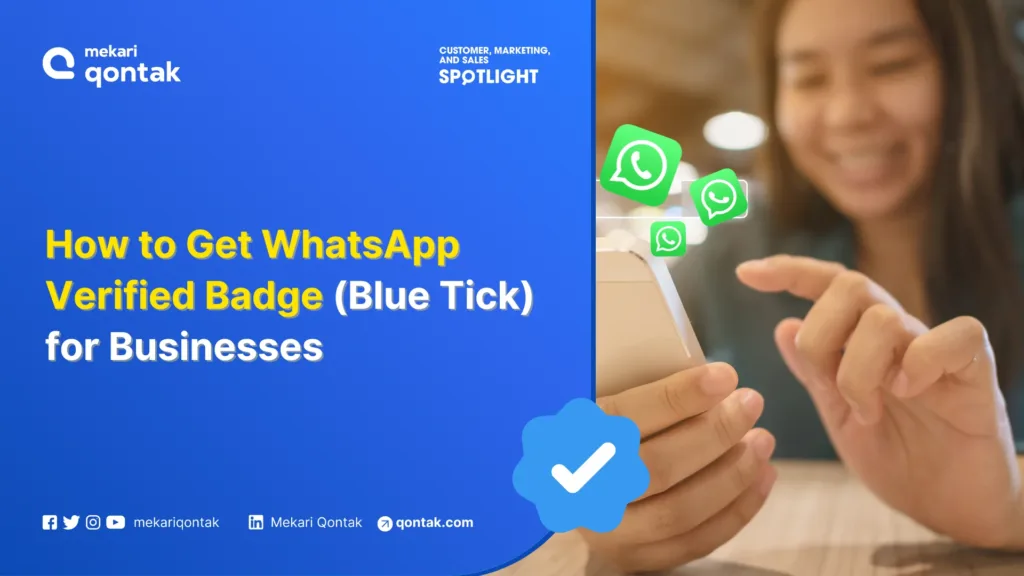
- The WhatsApp Verified Badge (blue tick) is an official sign granted by Meta that indicates a WhatsApp Business account has been verified to increase business trust and credibility.
- There are two ways to get the WhatsApp Verified Badge, namely Meta Subscription and official BSPs such as Mekari Qontak.
- For verification, your businesses must have official legal status, a verified Facebook Business Manager account, and a WhatsApp Business API approved by Meta.
- To get the WA Verified Badge through a BSP, businesses gain access to WhatsApp Business API, message blasts, AI chatbots, workflow automation, and CRM integration.
Currently, the WhatsApp Verified Badge or blue tick has become a necessity in today’s era of intense business competition. This is because WhatsApp accounts that already have a blue tick badge are able to assure users that your business WA account is official.
Even so, how to get the WhatsApp Verified Badge is often considered complicated because it involves a strict Meta verification process and not infrequently ends in rejection.
The good news is that you can get the verification badge much more easily if you understand the official steps and requirements.
In this article, the Mekari Qontak Blog will thoroughly discuss how to create a WhatsApp Verified Badge along with its main requirements. Read this article to the end!
What Is a WhatsApp Business Verified Badge?
WhatsApp Business verified badge is an official sign from Meta in the form of a blue tick, previously called a green tick, to show that your business account is trustworthy.
This tick located next to your business profile name can increase customer trust.
This verified badge for WhatsApp Business is only available for WhatsApp Business API accounts that have passed Meta verification through Facebook Business Manager, comply with policies, and are recommended for well-known businesses.
Requirements to Get a WhatsApp Verified Badge (Blue Tick) Through Meta Subscription
1. Specifically for Businesses
Meta Verified for Businesses on WhatsApp is only intended for WhatsApp Business accounts, not personal WhatsApp accounts.
This program is designed to help businesses build customer trust, strengthen brand identity, and reduce the risk of account impersonation. This means:
- The account must use the WhatsApp Business application
- This program is different from Meta Verified for creators
- Suitable for businesses that actively interact with customers through WhatsApp
2. Applicants Must Be at Least 18 Years Old
The owner or person responsible for the WhatsApp Business account registering for Meta Verified must be at least 18 years old. This requirement ensures that the party managing the account:
Has legal responsibility
- Can agree to Meta’s official agreements
- Manages business communication professionally
- Not only that, this age requirement is also a general standard for official Meta subscription services.
3. The Phone Number Must Originate from a Supported Country
WhatsApp Business accounts that want to be verified must use a phone number from a country that already supports Meta Verified for Businesses. If the number comes from a region where the service is not yet available, the registration process cannot continue.
In addition, you must also pay attention to location consistency. It is not recommended to use virtual numbers or cross-country numbers. Using a local number increases the chances of passing verification.
4. Must Comply with Meta & WhatsApp Business Policies
Businesses registering for Meta Verified must comply with all official Meta policies, including:
- Meta Verified for Businesses Terms of Service
- WhatsApp Business Application Terms of Service
- Messaging and anti-spam policies
Accounts with a history of violations, such as sending mass messages without permission or suspicious activity, risk being rejected or having their verification status revoked.
5. Business Profile Must Be Complete
Meta requires WhatsApp Business accounts to have a complete and clear business profile before registering for Meta Verified, including:
- A valid and consistent business name
- Business profile photo (logo or brand identity)
- The account has already been active and has sent messages
A complete profile shows that the business is truly active and credible, not a new or fake account.
6. Must Not Have Another Active Subscription
A WhatsApp Business account is not eligible for Meta Verified if it still has an active WhatsApp Business Premium subscription and a Meta Verified subscription through Meta Business Suite.
Meta only allows one active verification subscription scheme on a single account to avoid overlapping features and verification systems.
Requirements to Get a WhatsApp Verified Badge Through a Business Solution Provider (BSP)
Below are several requirements you need to fulfill before obtaining a verified WhatsApp badge.
1. The Account Must Be Specifically Intended for Business and Not Individuals
Similar to the WA verified badge via Meta Verified, the verified WhatsApp badge from a BSP is only granted to accounts used for business purposes, not personal or individual accounts.
This means your account must represent a clear business entity, such as a company, brand, or official organization. Using a personal name without a strong business identity risks causing the verification application to be rejected by Meta.
2. The Business Must Be Registered and Have Valid Legal Status
One of the main requirements for getting a WhatsApp Verified Badge through a BSP is that the business is legally registered and has official documents, such as a deed of establishment, company tax ID number, and other relevant legal documents.
This legal status functions to ensure that the verified business is truly an official entity, not a fictitious business or fraud.
3. Register Through Meta Directly or an Official Business Solution Provider (BSP)
The next requirement for registering a WhatsApp Verified Badge through a Business Solution Provider (BSP) is to directly register your business with an official Meta BSP, such as Mekari Qontak.
A BSP acts as an official partner that helps with the application process, WhatsApp Business API configuration, and ensuring your business meets all technical requirements and Meta policies.
4. Comply with Meta Policies and Terms
All business activities must strictly comply with Meta policies, including:
- WhatsApp Business Policy
- Meta Platform Policy
- Messaging and anti-spam policies
Meta will review message history, engagement rates, and complaint rates. Businesses with previous violations are not eligible. This is crucial to maintain trust in the WhatsApp ecosystem used by millions of Indonesian consumers.
5. Have a WhatsApp Business API Account Approved by Meta
Your WhatsApp Business API account must have been officially approved by Meta after a review process that can take several weeks.
This approval involves verification of the display name, business category, and Application Programming Interface (API) integration. In Indonesia, integration with CRM platforms such as Mekari Qontak can be an added value to accelerate this approval.
6. Activate Two-Step Authentication
The next requirement is activating the two-step authentication (2FA) feature on the WhatsApp Business account to increase security and prevent unauthorized access.
This feature can help businesses to:
- Prevent account takeovers
- Protect WhatsApp Business API access
- Maintain customer trust in the verified business account
This feature requires a 6-digit PIN for every new login, in line with enterprise security standards. Meta prioritizes these secure accounts during the badge verification process.
7. Facebook Business Manager Account Has Been Verified by Meta
The Facebook Business Manager account must first be verified by Meta through domain ownership, business documents, or phone verification before it can be used.
This process usually takes up to 7 days and is very important because WhatsApp is integrated within the Meta ecosystem. Make sure you complete the required documents so the verification process runs more smoothly.
8. WhatsApp Business Profile Information Must Be Complete and Consistent
The next requirement is to complete the WhatsApp Business profile information thoroughly. A good WhatsApp Business profile should contain complete information such as:
- Business name
- Description
- Address
- Phone number
- Website
- Operating hours
- Business category
Make sure the business information you enter is always consistent with the data in Facebook Business Manager as well as official legal documents. Inconsistencies here are often the main cause of verification rejection, especially for businesses managing omnichannel support.
9. Business Accounts Are Recommended to Be at Tier 2 or Higher
Although not always mandatory, Meta strongly recommends that WhatsApp Business API accounts be at Tier 2 or higher in messaging level. This tier indicates that:
- The account has actively sent messages
- The message-sending reputation is good
- The risk of spam is lower
Accounts with higher tiers usually have a greater chance of getting a verified WhatsApp Badge.
Differences Between WhatsApp Business Verified Badge and Verified WhatsApp Account
Use Left/Right arrow keys to scroll horizontally.
| Differences Aspect | WhatsApp Business Verified Badge | Verified WhatsApp Account |
|---|---|---|
| Main Function | Indicates that the account is an official business account verified by Meta. | Provides an additional verification layer through the Meta Verified program (subscription). |
| Displayed Symbol | Blue checkmark on the WhatsApp profile & chat. | Meta Verified badge on the Meta profile (can be connected to FB/IG), not a WhatsApp blue checkmark. |
| How to Get It | Through Meta’s strict verification process and the use of WhatsApp Business API via a BSP. | Through the Meta Verified subscription package with identity & document verification. |
| WhatsApp API Requirement | Must use WhatsApp Business API. | API is not required; it can be used through the WhatsApp Business App. |
| Eligibility Level | Strict and must be a legal, credible business with a strong digital presence. | Easier, only needs to meet the Meta Verified program requirements. |
| Target Users | Medium-to-large businesses or brands with high reputations. | SMEs to medium-sized businesses that want to increase basic trust. |
| Main Benefits | Improves customer trust, official identity, account security, automatic display names, and integration with various business applications. | Provides brand protection, custom web pages, multi-agent features, and prioritized support. |
| WhatsApp’s Main Focus | Official validation of business account authenticity within the WhatsApp ecosystem. | General validation of brand identity within the Meta ecosystem. |
How to Get a Verified Badge (Blue Tick) on WhatsApp Business Through an Official BSP
Creating a WhatsApp Verified Badge or WhatsApp blue tick requires a more complex process than creating a regular WhatsApp Business account.
This is because WhatsApp only grants official badges to businesses that meet eligibility standards and pass Meta verification.
However, the process is now much easier if you use the assistance of an official Business Solution Partner (BSP) such as Mekari Qontak.
1. Register Your Business with a WhatsApp Business Solution Partner
To get a WhatsApp Verified Badge, you must have a WhatsApp Business API. This API account cannot be created independently through the WhatsApp application, but must go through an official BSP that has become a Meta partner.
If you do not yet have a WhatsApp Business API account, you can get one by registering your business account with an official Business Solution Partner (BSP) in Indonesia, such as Mekari Qontak.
Mekari Qontak team is ready to help you complete the entire process required to get a WhatsApp API account for your business, including verifying your Facebook Business Manager account.
2. Determine the Number and Display Name to Be Used
The second step is determining the name that will be used as the display name and the phone number used for your business account.
However, keep in mind that the business name must comply with the Trade and Business policies determined by WhatsApp.
As additional information, the selected name and phone number cannot be changed later. Therefore, you must be certain when determining the name to be used.
Below are several requirements for display names and business numbers that you can use.
- Requirements for WhatsApp Numbers for API
- This number must not be used on regular WhatsApp.
- If the number has been used previously, unregistration must be carried out.
- The number will be locked and can only be used for API.
- Requirements for Display Name (Business Name)
- Comply with WhatsApp Display Name Guidelines
- Consistent with legal documents and website
- Clearly reflects business identity
- Does not contain excessive capital letters, strange symbols, or irrelevant words
The display name application process will take one business day.
3. Submit the Verification Process to Meta
Your WhatsApp Business account will not be verified before it is registered with Meta. As the developer of WhatsApp, Meta has the authority to verify whether your account is eligible or proven to have a legitimate business.
The method for submitting verification to Facebook can follow the stages below:
- Open the Facebook Business Manager page and log in
- Click Business Setting located at the top right
- Select WhatsApp Accounts at the bottom, then click Add
- Enter the business name on the Create WhatsApp Accounts screen
- Next, in the Messaging For box, there are 2 options: Your Account to create a business account for yourself and Client’s Account to create an account on behalf of a business.
- Enter the Business Manager ID, which you can find in Business Manager Settings.
- Select the time zone where your business is located.
- Enter your business local currency in the Local Currency field.
- Choose the payment method for your ads in the Payment Method field.
- In the P.O. Number field, enter the purchase order or purchase order number (PO) that will appear on your invoice.
- Search for the people you want to add to the WhatsApp account or select them from the list.
- Select the role you want to assign to each person.
Next, your WhatsApp Account will receive a policy review. You can see the account status in the Account Status section under the Settings tab in WhatsApp Accounts.
From the explanation above, it can be seen that the process of submitting verification to Facebook is quite complicated. Especially if you make a mistake in just one stage, your WhatsApp account may be rejected.
However, there is no need to worry, because Mekari Qontak will help you submit account verification to Facebook. Let Mekari Qontak handle all the stages above. Meanwhile, you only need to wait for the good news that your account has been successfully verified.
4. The Verified WhatsApp Badge Is Ready to Be Used
After the entire process of registering the WhatsApp Business API and completing Meta business verification has been completed, the final step is waiting for the review results from Meta for around 3 to 7 business days.
If your application is approved, the WhatsApp Business account will have Official Business Account (OBA) status and automatically display the WhatsApp Verified Badge (blue tick) on your business WhatsApp profile.
At this stage, your official account is fully ready to be used to communicate with customers and provide a more trustworthy experience.
If you work with a Business Solution Partner such as Mekari Qontak, you only need to wait for the verification result notification without having to handle any technical details, making the process much easier and safer.
Features Obtained After the Account Gets a WhatsApp Verified Badge via BSP
The WhatsApp Verified Badge not only provides a blue tick sign, but also opens access to various important features that support the security, scalability, and professionalism of business communication.
However, the features got differ depending on the verification route used, namely through a Business Solution Provider (BSP) or through Meta (subscription).
If a business gets a WhatsApp Verified Badge through an official BSP, then the features got focus on operations, automation, and business communication scale. Below are the main features:
1. Access to WhatsApp Business API
Businesses can officially use WhatsApp on a large scale with an API system that is stable, secure, and integrated with internal systems such as CRM or helpdesk.
2. Official Blue Tick Badge (Official Business Badge)
The blue tick badge (previously called the green tick) indicates that the WhatsApp account has been verified by Meta as an official business account, thereby increasing customer trust and reducing the risk of fraud.
3. Send Blast Messages
Allows businesses to send mass messages to many customers at once in a controlled manner and in accordance with Meta policies.
4. Multi-Admin Access
One WhatsApp account can be managed by multiple admins or teams, suitable for customer service, sales, and customer support working in parallel.
5. WhatsApp AI Chatbot
Businesses can activate AI-based chatbots to answer customer questions automatically, 24/7, and consistently.
6. Workflow Automation
The workflow automation feature allows businesses to automate processes such as lead follow-up, chat grouping, routing to agents, and internal notifications.
The implementation of this automation feature has a significant impact on company efficiency.
Getting a verified badge through an official BSP is the most ideal choice for scaling SMEs, medium-sized businesses, to enterprises that require WhatsApp verified as their main customer engagement channel.
Features Obtained After the Account Gets a WhatsApp Verified Badge via Meta
Unlike BSPs, the WhatsApp Verified Badge through Meta (subscription) focuses more on account protection, prioritized support, and brand visibility within the Meta ecosystem.
Below are several features you will get after subscribing to Meta Verified.
- Impersonation protection
- Enhanced support
- 24/7 Direct Support Access
- Search optimization
- Featured profile
- Links in Reels
- Add images to your links
- Exclusive stickers
- Custom chat themes
- Personalized content strategy
The Meta Subscription route is suitable for businesses or brands that focus on brand trust, reputation protection, and visibility, but do not require advanced automation and APIs.
Verify Your WhatsApp Account with the Official BSP Mekari Qontak Now!
A verified WhatsApp account shows that the business is official and has been validated directly by Meta. That way, customers do not need to worry about being deceived by the business when interacting.
Meanwhile, to create a verified WhatsApp business account, you can use assistance from an official WhatsApp BSP such as Mekari Qontak.
As an official WhatsApp BSP, Mekari Qontak also provide the best CRM Software that is integrated with omnichannel applications.
By using Mekari Qontak, you can integrate omnichannel CRM with your verified WhatsApp account later to optimize faster business growth.
So, what are you waiting for? Immediately consult your business needs with the Mekari Qontak team and get a free trial of Mekari Qontak today!
Frequently Asked Question About How To Get WhatsApp Verified Badge (FAQ)
Can All Types of Businesses Apply for a WhatsApp Verified Badge?
Can All Types of Businesses Apply for a WhatsApp Verified Badge?
No. Meta only verifies businesses that have a clear identity, valid legal status, and reasonable communication activity (non-spam).
Can SMEs Without a PT or CV Still Get a WhatsApp Verified Badge?
Can SMEs Without a PT or CV Still Get a WhatsApp Verified Badge?
Absolutely! As long as the business has valid legal documentation and consistent business data across the entire Meta ecosystem.
Is the WhatsApp Verified Badge Free?
Is the WhatsApp Verified Badge Free?
No, the WhatsApp Verified Badge requires an investment cost. The Meta Verified route is subscription-based, while the BSP route involves API and partner service fees.
How Long Is the WhatsApp Verified Badge Valid and Does It Need to Be Renewed?
How Long Is the WhatsApp Verified Badge Valid and Does It Need to Be Renewed?
The WhatsApp Verified Badge does not have a fixed validity period, as long as the business account continues to comply with Meta’s policies.
Unlike subscription-based Meta Verified, a verified badge obtained through a BSP does not require periodic renewal. However, Meta still conducts regular evaluations of the account’s reputation.
Can Meta Revoke a WhatsApp Verified Badge After It Has Been Approved?
Can Meta Revoke a WhatsApp Verified Badge After It Has Been Approved?
Yes, the WhatsApp Verified Badge can be revoked by Meta at any time if the business account violates applicable policies.
Some common reasons for badge revocation include an increase in spam reports, sending messages without consent, changes to the business profile that do not match legal documents, or suspicious activity.
Therefore, maintaining policy compliance and communication quality is very important after the account is verified.