





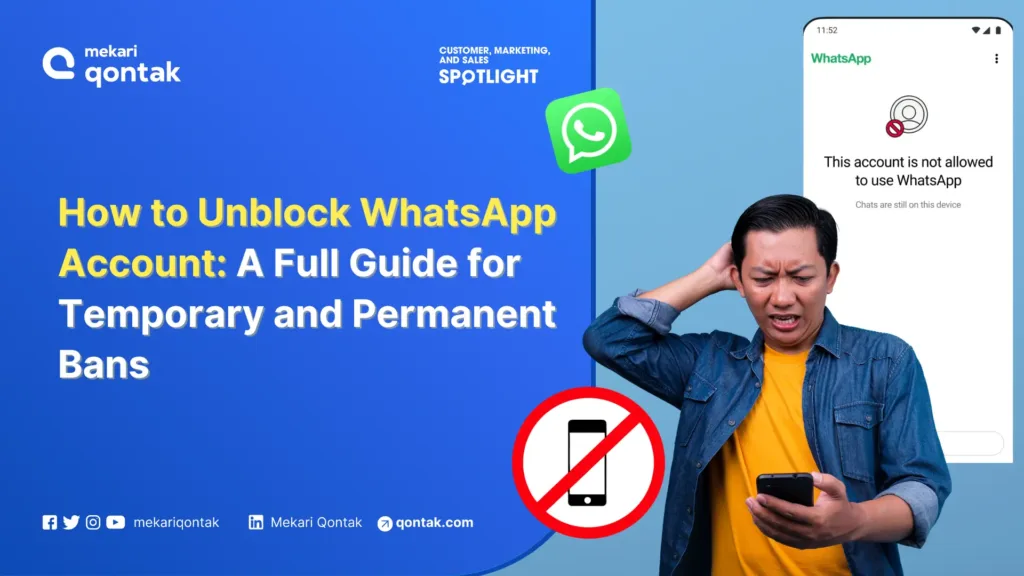
- There are two main types of WhatsApp blocks: temporary blocks and permanent blocks.
- There is a significant difference between being blocked by another contact and being blocked by WhatsApp itself.
- To resolve a temporary block, switch to the official app and wait.
- To resolve a permanent block, submit an appeal to the WhatsApp support team via email or the online form.
- The ideal WhatsApp solution for businesses that want to avoid blocks is to use the official WhatsApp Business API, such as Mekari Qontak.
Has your WhatsApp account suddenly stopped working? It’s possible your account has been blocked by WhatsApp. So, what can you do when your WhatsApp gets blocked?
A blocked WhatsApp account will inevitably disrupt your communications especially if your business still relies on the standard WhatsApp app for day-to-day operations.
In this article, Mekari Qontak Blog will walk you through the causes of a blocked WhatsApp account, how to unblock it, and tips to prevent it from happening again.

Types of WhatsApp Account Blocks
WhatsApp account blocks can be divided into two main types, each with its own characteristics and reasons. Here are the most common types of WhatsApp account blocks you may encounter.
1. Temporary Block
A temporary block occurs when access to your WhatsApp account is restricted for a limited period of time, usually ranging from a few hours to a few days.
This type of block generally results from minor violations, such as using an unofficial WhatsApp app, engaging in excessive activity that is flagged as suspicious, or performing data scraping.
Typically, once the restriction period ends, your account will automatically become active again without any additional action required.
2. Permanent Block
A permanent block is the most severe form of sanction from WhatsApp. In this situation, your account is completely and irreversibly inaccessible.
Permanent blocks are typically the result of serious or repeated violations. Common examples include sending large volumes of spam, engaging in illegal activities, and conducting phishing or distributing malware.
Signs That Your WhatsApp Is Blocked and How to Check
Determining whether your WhatsApp number has been blocked can be tricky, since WhatsApp does not send an official notification. However, there are several signs that may indicate your WhatsApp has been blocked.
There are two types of WhatsApp blocks: one by another user and one by WhatsApp officially. For more clarity, here are the signs that your WhatsApp has been blocked by a contact.
1. Messages Show Only a Single Gray Tick
If your WhatsApp message displays only a single gray tick, it means the message successfully left your device but never reached the recipient’s device.
Normally, a message will show two gray ticks once delivered, then turn blue when read. If the status never changes, there’s a strong possibility you’ve been blocked.
2. Last Seen and Online Status Are No Longer Visible
One of the clearest indicators is the disappearance of the “last seen” or “online” status. If you previously could see when someone was last active but can no longer do so, it may be a sign that the contact has restricted your access by blocking you.
3. Profile Photo Never Changes
WhatsApp profile photos are often updated regularly. However, if you can only see an old photo that never changes, or simply a blank image, there is a good chance you have been blocked.
This happens because WhatsApp hides profile photo updates from blocked contacts.
4. Calls Do Not Connect
Have you ever tried to make a voice or video call, only for it to never connect? If so, there is a strong likelihood you have been blocked by that contact.
Beyond that, you may also hear a brief ringtone before the call drops. Unlike typical network issues, this behavior is consistent every time you attempt to call.
5. Unable to See Status Updates
WhatsApp has a status feature similar to stories. If you can no longer see the daily status updates that a previously active contact used to post, there is a strong chance you have been blocked.
6. Unable to Add the Contact to a Group
As a group admin, you have the ability to add new members. However, if you try to add a contact who has blocked you, a notification will appear indicating that the addition cannot be completed.
This is a strong indication that your access has been restricted.
7. Double Blue Ticks Never Appear
Once a message has been read, two blue ticks will appear. However, if a contact has blocked you, those two blue ticks will never show up, only a single gray tick will be visible.
This is different from when the recipient has simply turned off read receipts. In that case, two gray ticks will still appear, even if they never turn blue.
Signs That Your WhatsApp Account Has Been Blocked by WhatsApp
Unlike being blocked by another user, this type of block occurs when WhatsApp itself suspends your account. Here are the signs that your WhatsApp account has been blocked by WhatsApp.
1. A Direct In-App Notification
If your WhatsApp account has been blocked by WhatsApp, you will see the message “This account is not allowed to use WhatsApp” when you open the app. This message is the official indicator that your account has been deactivated by WhatsApp.
2. Complete Loss of Access to Your Account
Another sign that your WhatsApp account has been blocked by WhatsApp is a complete loss of account access.
Once an account is permanently blocked, you will no longer be able to send or receive messages, make calls, or access your chat history. In other words, all WhatsApp features will be completely unavailable.
Reasons Why WhatsApp Number Gets Blocked
WhatsApp will block your account if it determines that you have violated its policies. In general, there are several other common reasons that can lead to a blocked WhatsApp number.
1. Using a Modified WhatsApp App
Many developers create modified apps such as WhatsApp Plus, WA cloning, WA parallel, or WhatsApp GB. While these apps may offer appealing additional features, they carry significant risks.
Moreover, modified apps violate WhatsApp’s Terms of Service, which is why many users of these apps end up getting blocked by WhatsApp.
2. Being Blocked by Multiple WhatsApp Users
As is widely known, WhatsApp users can easily report or block you if they find your behavior disruptive. WhatsApp facilitates this to prevent spammers, scammers, and hackers.
When your account is blocked by a large number of other users, it can cause your account to be temporarily suspended by WhatsApp.
3. Sending Bulk Messages That Are Flagged as Spam
Continuously sending messages in large volumes to contacts who have not saved your number will cause your number to be flagged as spam by WhatsApp.
Those contacts are also likely to report or block you, which signals a potential policy violation and may result in your WhatsApp account being blocked.
4. Sending Viruses and Malicious Malware
WhatsApp takes user security very seriously. For this reason, it prohibits users from sending files that are detected as containing viruses or malware.
Therefore, if you send files that are potentially harmful, the risk of having your WhatsApp number blocked increases significantly.
5. Attempting to Hack WhatsApp Servers
Although rare, attempts to hack WhatsApp’s servers do occur. As a preventive measure against data breaches, WhatsApp will block any number that attempts to hack its servers or disrupt its services.
Once identified, WhatsApp will immediately block that number, making it permanently unusable.
6. Inappropriate Behavior
WhatsApp is deeply committed to the safety and comfort of its users. As a result, any reports related to harassment are taken very seriously.
For example, behavior that involves violence, death threats, ethnic or racial slurs, and similar conduct are among the reasons a WhatsApp number may be blocked.
How to Unblock Whatsapp Account
Here are some practical ways to resolve a blocked WhatsApp account.
1. How to Resolve a WhatsApp Block by a Contact
If you notice all the signs of being blocked by a specific contact, unfortunately there is no technical solution to reverse this block. You cannot contact WhatsApp about this issue, as it is a privacy decision made by the other user.
If you have an urgent reason to reach them, try using another communication channel such as SMS, email, or social media. Alternatively, you can also try reaching out to the contact using a different number.
2. How to Recover a Temporarily Blocked WhatsApp Account
Here is how to recover a temporarily blocked WhatsApp account.
- Wait 24 to 48 hours for the block to lift so that your account can be used again.
- Afterward, open the previously blocked WhatsApp app and back up all your chats to Google Drive.
- How to back up: tap the three-dot menu in the top-right corner > Settings > Chats > Chat Backup > Google Account > log in with your Gmail account > Backup.
- Next, install the official WhatsApp app from the Play Store.
- Log in to the official WhatsApp app using your old number.
- During the login process, you will be prompted to restore your backup from Google Drive. Select that option and log in with the Gmail account you used to back up your chats.
- Once connected, immediately restore the available backup.
- Wait for the process to complete.
- Uninstall the unofficial WhatsApp app you were using previously.
3. Contacting the WhatsApp Support Team via Email
The only way to restore a permanently blocked WhatsApp account is to send a message or email to WhatsApp. Here is how to reactivate a blocked WhatsApp account by contacting WhatsApp.
- Open your email app, such as Gmail or Yahoo.
- Send an email to support@whatsapp.com.
- In the body of the email, briefly and clearly explain that your account has been blocked. Include your WhatsApp number in international format.
- Submit your request for a review and the removal of the block on that number.
4. Contacting the WhatsApp Support Team via the Online Form
- Open your web browser and visit the official WhatsApp contact page at https://www.whatsapp.com/contact/.
- Fill in all the required details, including your phone number and a brief description of the issue you are experiencing.
- Click Next Step to proceed to the following stage and complete the online form.
Some of the information you will need to fill in on the Contact WhatsApp Support online form includes: phone number, email address, the device you use to access WhatsApp, and your message.
Wait 4 to 24 hours to receive a response from WhatsApp before your number is reactivated.
However, if the block has occurred 2 to 3 times, WhatsApp may permanently block the number, meaning you will no longer be able to use it.
5. Contacting the WhatsApp Support Team via the In-App Help Feature
If you are experiencing issues with your WhatsApp account, you can contact the support team directly through the app. However, this method is only available if your WhatsApp app can still be opened and used.
- Open the WhatsApp app and tap Settings.
- Select Help, then tap Contact Us.
- WhatsApp will reach out to you via a WhatsApp message.
- Provide as much detail as possible about how you use WhatsApp and what issue occurred with your account.
- Follow the on-screen instructions to complete the process.
6. Switching to a New WhatsApp Account
Even if your blocked WhatsApp account is the official app downloaded from the Play Store or App Store, it can still be blocked for certain reasons.
To resolve this block, you can try switching to a new WhatsApp account by replacing your old one. Keep in mind that this method carries the risk of losing data from your old WhatsApp account.
Here is how to resolve a blocked WhatsApp account by deleting the old account.
- Open the WhatsApp app and select Settings.
- Tap Account.
- Select Delete My Account to proceed with the deletion.
- Your WhatsApp account will then be completely deleted.
- Reopen the WhatsApp app and re-register using the same phone number.
7. Switching to WhatsApp Business API
Even after learning how to unblock your account, there is still a risk that your WhatsApp account could be blocked again. This can be particularly disruptive for business owners, as it interferes with day-to-day business operations.
Fortunately, there is one solution to prevent your WhatsApp account from being blocked: using the official WhatsApp, better known as the WhatsApp Business API, which offers numerous benefits for your business.
When setting up a WhatsApp Business API account, you will need to go through a verification process with Facebook to prove that you operate a legitimate business.
- Partner with the best WhatsApp Solution Provider (BSP), such as Mekari Qontak.
- The Mekari Qontak team will then assist you in submitting the verification request to Meta.
- Select the number you want to register as your WhatsApp Business API account.
- Complete your WhatsApp Business Profile with relevant business information.
- Your WhatsApp API is now ready to use.
Tips to Prevent Your WhatsApp from Getting Blocked
A blocked WhatsApp account can be very damaging, especially if you use it for business purposes or critical communications. Here are some tips to help prevent your WhatsApp from getting blocked.
1. Use the Official WhatsApp App
Always make sure to download WhatsApp directly from the Play Store (Android) or App Store (iPhone).
Unofficial apps like WhatsApp GB or WhatsApp Plus may offer additional features, but these unofficial and modified versions of WhatsApp are not supported by the official WhatsApp team.
Using such apps carries a high risk of resulting in a permanent ban.
2. Avoid Sending Excessive Bulk Messages
Sending large volumes of messages in a short period of time is often flagged as spam by WhatsApp’s system. To avoid this, refrain from using your personal account for mass promotions.
Doing so can prompt reports from other users and significantly increase the chances of your account being blocked. For small to medium-sized businesses, it is advisable to use official channels such as WhatsApp Business.
3. Leverage WhatsApp Business API for Your Business Needs
For large-scale business needs, WhatsApp Business API is the safest option. With this API, you can send messages to a large number of customers without violating the platform’s rules.
Beyond that, WhatsApp Business API also provides additional features such as AI-powered chatbots, CRM integration, and automated message replies. This solution is far safer than using modified apps or manual spam techniques.
4. Do Not Share Suspicious Links or Content
Another important tip is to avoid sharing harmful links, such as suspicious files or content that may contain malware or phishing attempts.
Such activity puts your account at risk of being blocked and endangers the security of message recipients. WhatsApp has a detection system that can automatically deactivate accounts that spread harmful content.
5. Complete Your WhatsApp Profile
Accounts with a complete identity are more trustworthy and are less likely to be reported as spam. To that end, use a profile photo, include a clear name, and fill in your account information as needed.
Anonymous or incomplete accounts are often perceived as suspicious and are more likely to be blocked by the system or by other users.
6. Enable Two-Step Verification
Another useful tip is to enable Two-Step Verification to add an extra layer of security to your account.
With this feature enabled, every time someone attempts to log in on a new device, WhatsApp will require an additional PIN that only you know. This is an effective way to protect your account from hijacking, which could otherwise lead to a ban.
7. Always Update to the Latest Version of the App
WhatsApp regularly releases app updates to patch security vulnerabilities and introduce new features. If you continue using an outdated version, your security risks increase and may trigger issues that lead to a block.
Therefore, always ensure that your app is updated to the latest version to keep it safe and running optimally.
Get the Official Anti-Block WhatsApp Business API from Mekari Qontak!
In summary, there are several ways to unblock WhatsApp account, from recovering a temporarily blocked account to contacting WhatsApp Support via email or the app.
However, among all these methods, the safest and most ideal solution for businesses is to obtain a trusted WhatsApp Business API from an official Business Solution Provider (BSP), such as Mekari Qontak.
In addition to being anti-block, Mekari Qontak WhatsApp Business API offers advanced features like official WA blast, AI Chatbots, the WA blue tick, and more to streamline your business operations.
WhatsApp API can only be obtained by registering with the best BSP, such as Mekari Qontak.
Mekari Qontak has been trusted by more than 3,500 leading companies in Indonesia to help grow their businesses. Beyond that, Mekari Qontak is also ISO 27001-certified to ensure the security of customer data and information.
Reference
Frequently Asked Question About How to Unblock WhatsApp Account (FAQ)
How long does a temporary or permanent WhatsApp ban last?
How long does a temporary or permanent WhatsApp ban last?
A permanent ban usually has no time limit, meaning your account is deactivated and cannot be used indefinitely. However, you can still submit an appeal to WhatsApp. On the other hand, a temporary ban typically lasts between 24 to 48 hours. Once this period ends, you will be able to use your account again.
Why does WhatsApp Business get blocked so often?
Why does WhatsApp Business get blocked so often?
WhatsApp Business accounts are often blocked because they are used beyond the intended limits. The primary causes are similar to personal accounts: using modified WhatsApp apps (mod), sending excessive promotional messages, or violating WhatsApp’s Terms of Service.
Why is my WhatsApp account being flagged for spam?
Why is my WhatsApp account being flagged for spam?
Your WhatsApp account may be flagged for spam for several reasons, such as:
- Sending the same bulk messages to many contacts in a short period, especially to users who haven’t saved your number.
- Being blocked and reported by multiple users.
- Engaging in activities suspected of violating WhatsApp policies.
Is using the WhatsApp Business API truly safe from bans?
Is using the WhatsApp Business API truly safe from bans?
Yes, absolutely! The WhatsApp Business API is specifically designed for large-scale business needs. Its usage is monitored by WhatsApp and is tied to official business verification.
As a result, the risk of being banned for mass activities (such as promotional broadcasts) is extremely low compared to using a regular personal account.